
Steps to Register
Follow these simple steps to get started in under 5 minutes.
Click the Sign Up link
On the login screen, look for the "Sign up" or "Create account" link at the bottom of the login box and click it.
Enter your email & create a password
Use your business email address and create a secure password. You'll receive a verification email.
Verify your email
Check your inbox for a verification email from 1stContact.ai and click the confirmation link.
Complete your profile
Tell us about your brand — you can scan your website or fill in your details manually. Takes about 2 minutes.
Start using your tools!
You'll be taken directly to your Customer Tools dashboard where all your marketing tools are ready to use.
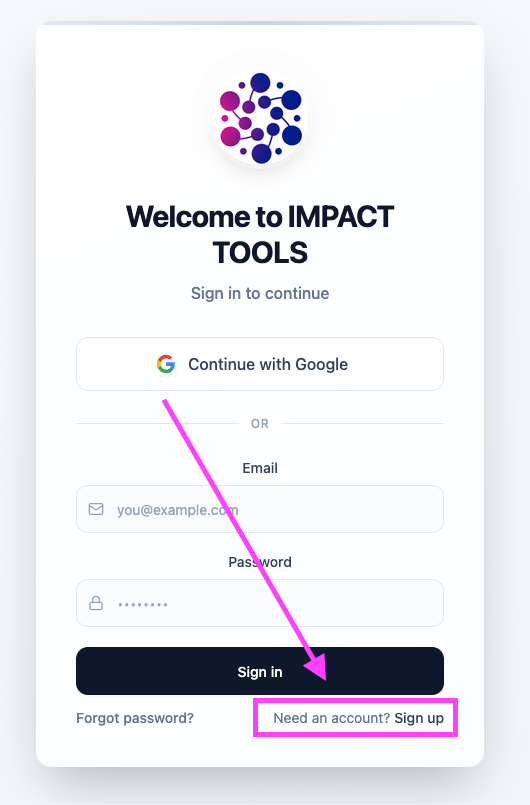
Click the "Sign Up" link on the login screen to create your account
What's Included
Everything you need to create professional marketing content — powered by AI.
Ready to get started?
Create your free account and start using your AI marketing tools today.
Need help? Contact us at 1stcall.help